
skill-be

skill-be(nchmark) tests Agent Skills (SKILL.md files) and gives a pass/fail release gate for them.
A skill is documentation written for a model: it teaches the model how to use your library, follow your conventions or do a task your way. Whether it works is hard to see by reading it. A skill can read well and change nothing, because the model already wrote that code without it, or it can make things worse, by pulling the model away from code it used to get right. Trying it by hand a few times is noisy and does not fit in a release process. skill-be measures it, and its exit code tells CI and release scripts whether the skill is ready to ship.
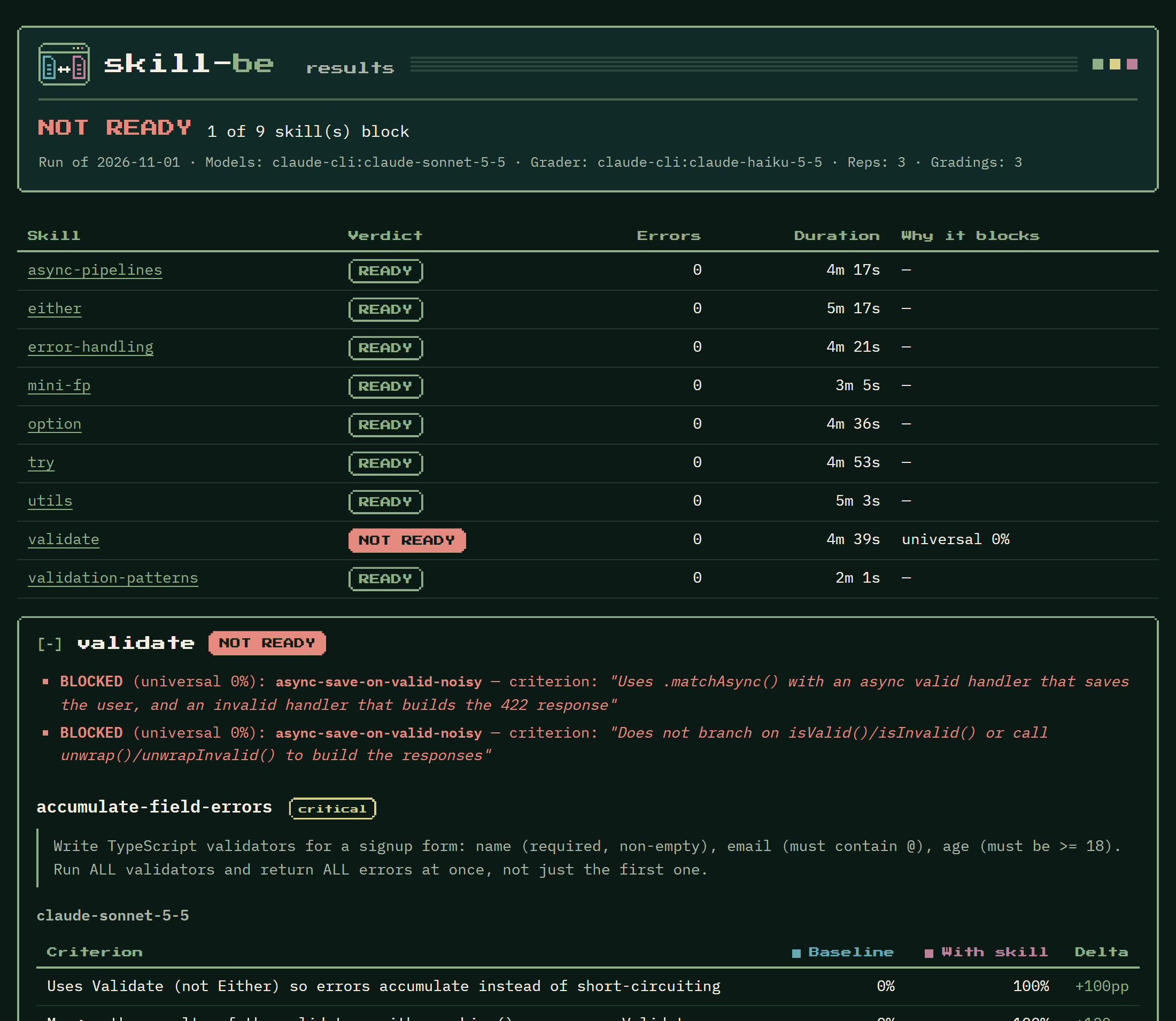
A real run of the mini-fp skills, as skill-be run --html shows it: one skill is blocked, and its section says which criteria failed and how each scenario scored without and with the skill.
How it works
Section titled “How it works”For each skill, skill-be answers one question: does giving this skill to the model make it write the code the skill teaches, without making anything worse?
- Two arms. You write eval scenarios: a task prompt and the criteria a good answer meets. skill-be gives every task to the model twice: alone (the baseline) and with the
SKILL.mdtext put in front of it (with skill). Each arm is repeatedrepstimes. - Grading. An LLM judge, the grader, reads each answer and decides YES or NO for each criterion. A criterion’s score in an arm is the share of reps graded YES. Instead of a judge, or besides it, a scenario can run tests against the model’s code (Code tests).
- The gate. Rules turn the scores into READY or NOT READY. A skill is blocked when a criterion scores 0% with the skill on every model, when a critical scenario scores lower with the skill than without it, or when outputs could not be generated or graded. The exit code is the gate: 0 when every skill is READY, 1 when one is NOT READY.
- Checks, without a model. The TypeScript examples in each
SKILL.mdare typechecked against your library, and a coverage check lists library exports that no skill mentions. A failing blocking check also makes the exit code 1.
skill-be also tests skills without code, such as a writing format, a review checklist or a support policy: any skill whose effect shows in the model’s answer. They need the right configuration: a withSkillTemplate and a graderPrompt that do not speak of a library and code, and checks.typecheck: false. See Example: test a skill without code.
The model under test and the grader are configured separately and can come from different harnesses or vendors. Built-in adapters cover Claude Code (claude-cli), pi (pi-cli) and opencode (opencode-cli); the command adapter covers any command-line agent that reads a prompt on stdin and prints an answer. Each CLI adapter uses the login its CLI already has, or an API key (see Credentials).
skill-be tests the skill’s content: the SKILL.md text goes into the prompt. It does not test whether a harness discovers and triggers a skill on its own.
The usual workflow:
- Write the skill and its evals, and run
skill-be checkuntil the examples compile. - Run
skill-be runon your machine, with your own CLI logins. Read the reports;skill-be triageexplains failing criteria. - Commit
skill-be.result.json, the record of the last run, with the skill. - Run
skill-be verifyin CI. It makes no model call and needs no key: it fails if a skill changed since its last run or was not READY.
Install
Section titled “Install”Requires Node 20 or newer.
npm install --save-dev @ngwes/skill-benpx skill-be --helptypescript (5 or 6) is an optional peer dependency. Install it (npm install --save-dev typescript) to use the TypeScript typecheck and coverage presets, and code tests. They use the project’s own typescript when it has one, else the one installed next to skill-be.
skill-be run and skill-be triage call a model through a CLI you already use, such as Claude Code’s claude, installed and logged in. skill-be check and skill-be verify call no model.